Send images with M5Stack TimerCAM
This guide is the fastest way to send TimerCAM images to Miniviz and check them from your phone. Use it when you want a lightweight image monitoring flow with simple HTTP uploads and minimal dashboard setup.
What We'll Do
Send images captured by TimerCAM to Miniviz so you can view them on your smartphone.
Required Items
- M5Stack timer
- PlatformIO
To use miniviz:
- Miniviz Project ID and Token
Connection Verification
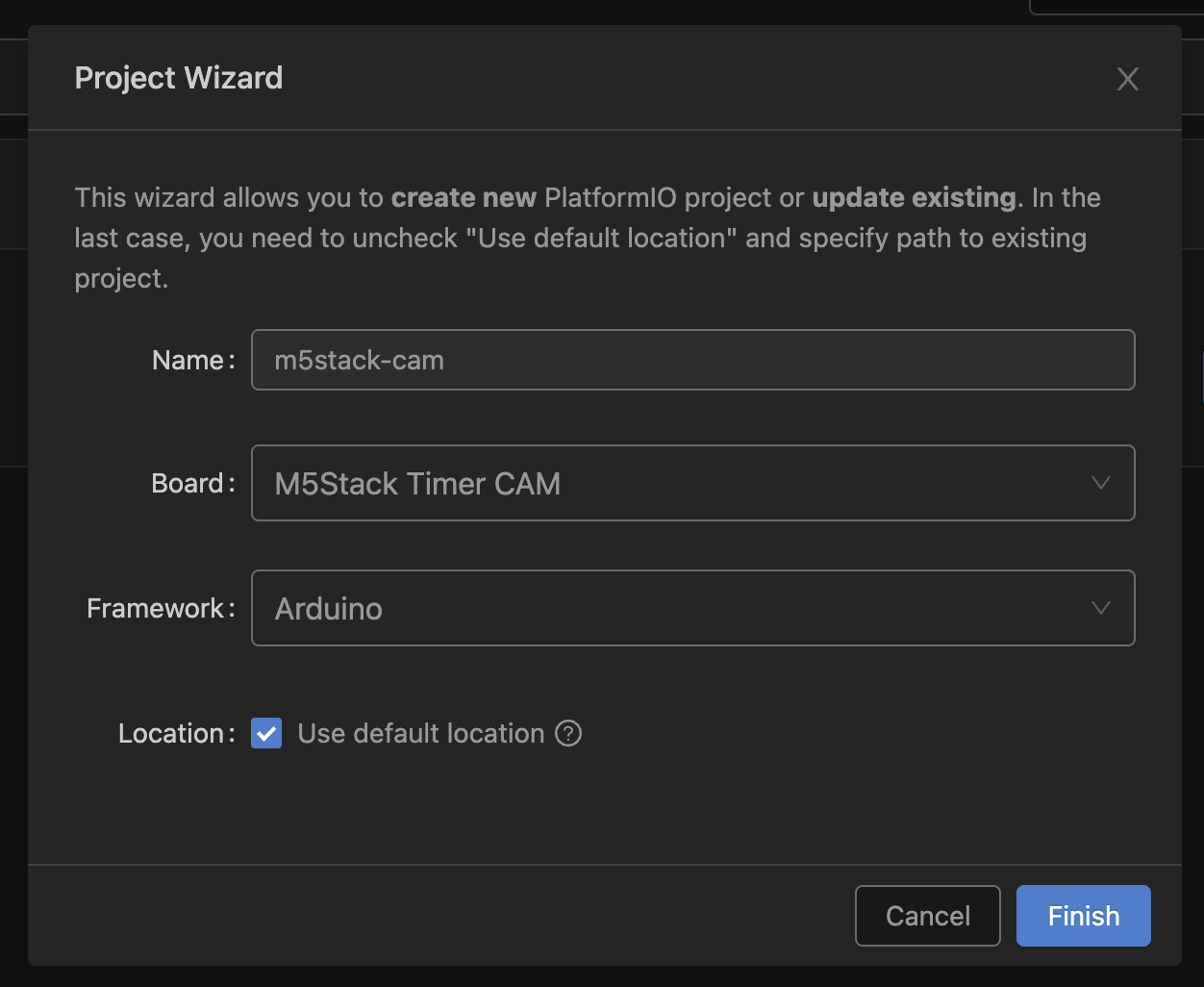
1. Create Project in PlatformIO
Create a project as follows.
2. Try Running Library Sample Code
Download the official sample code below and copy the source code to src/. https://github.com/m5stack/TimerCam-arduino.git
Setting upload_speed to 115200 in platformio.ini makes uploads more stable.
[env:m5stack-timer-cam]
platform = espressif32
board = m5stack-timer-cam
framework = arduino
lib_deps =https://github.com/m5stack/TimerCam-arduino.git
upload_speed = 115200
monitor_speed = 115200
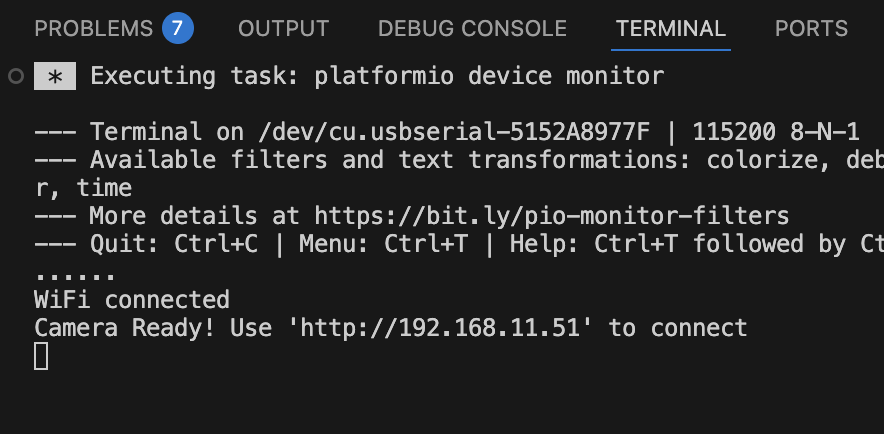
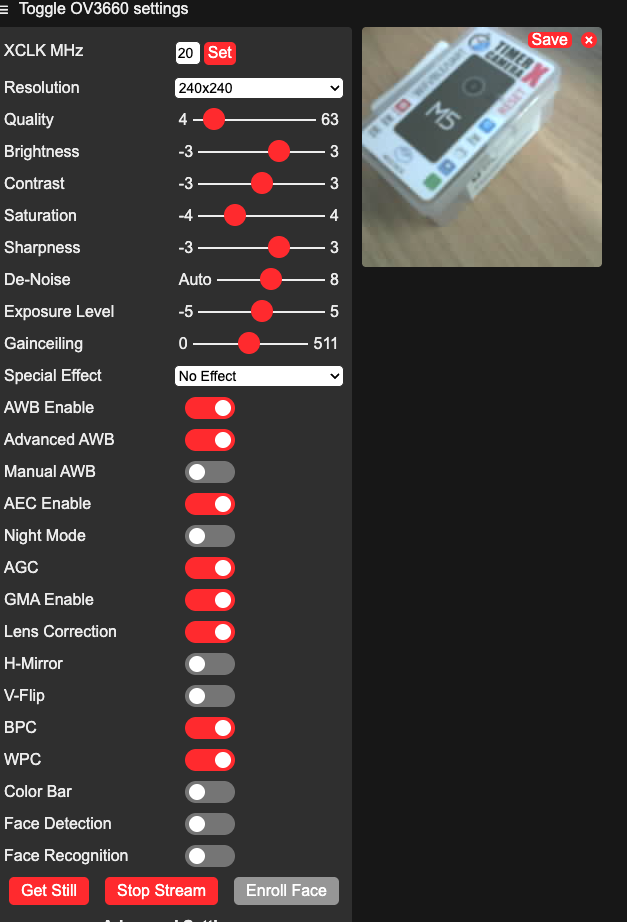
Upload and access the local IP.
Use Miniviz to View on Smartphone
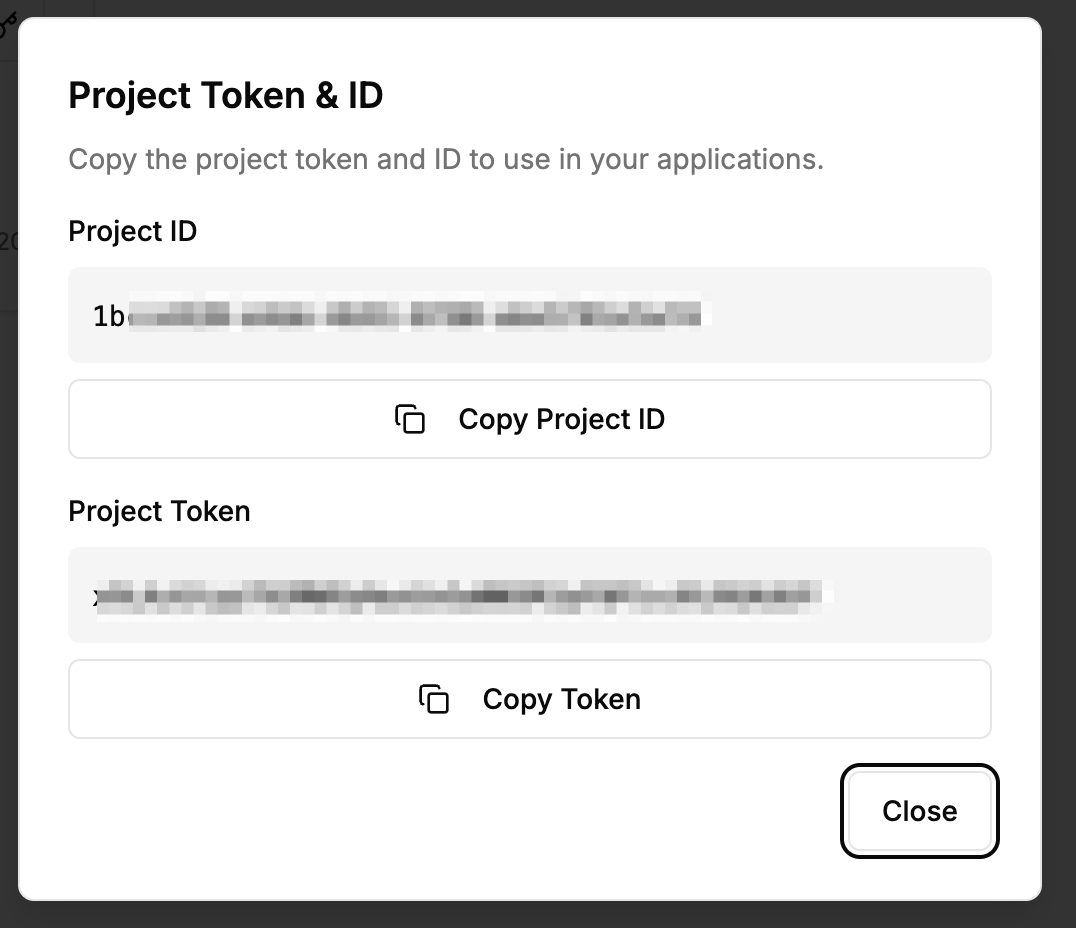
Get Project ID and Token
Get the Project ID and Token.
Create Project -> Get Project ID and Token
Modify Sample Code to Send to Miniviz
Sample Code
This is the full version of the code used in this guide.
- C++ (Arduino)
#include "battery.h"
#include "esp_camera.h"
#include <WiFi.h>
#include <HTTPClient.h>
#include <base64.h>
#include <time.h>
#include "soc/soc.h"
#include "soc/rtc_cntl_reg.h"
#include "camera_pins.h"

// WiFi Configuration
const char *ssid     = "SSID";
const char *password = "PASSWORD";

// Miniviz Configuration
const char* PROJECT_ID = "PROJECT_ID";
const char* TOKEN = "TOKEN";
const char* API_URL = "https://api.miniviz.net";
const char* LABEL_KEY = "m5stack_cam";

// Send interval (milliseconds)
const unsigned long SEND_INTERVAL = 60000;  // 60 seconds

unsigned long lastSendTime = 0;

//----------------------------------------
// NTP Time Synchronization
//----------------------------------------
void syncTime()
{
    Serial.println("Syncing NTP...");
    configTime(0, 0, "ntp.nict.jp", "time.google.com");

    struct tm timeinfo;
    while (!getLocalTime(&timeinfo)) {
        delay(200);
        Serial.print("*");
    }
    Serial.println("\nTime synced");
}

//----------------------------------------
// UNIX Timestamp in Milliseconds
//----------------------------------------
uint64_t getTimestampMs()
{
    struct timeval tv;
    gettimeofday(&tv, NULL);
    return (uint64_t)tv.tv_sec * 1000ULL + (tv.tv_usec / 1000ULL);
}

void setup() {
    Serial.begin(115200);
    WRITE_PERI_REG(RTC_CNTL_BROWN_OUT_REG, 0);  // disable brownout detector

    bat_init();
    bat_hold_output();

    Serial.setDebugOutput(true);
    Serial.println();

    pinMode(2, OUTPUT);
    digitalWrite(2, HIGH);

    // Camera Configuration
    camera_config_t config;
    config.ledc_channel = LEDC_CHANNEL_0;
    config.ledc_timer   = LEDC_TIMER_0;
    config.pin_d0       = Y2_GPIO_NUM;
    config.pin_d1       = Y3_GPIO_NUM;
    config.pin_d2       = Y4_GPIO_NUM;
    config.pin_d3       = Y5_GPIO_NUM;
    config.pin_d4       = Y6_GPIO_NUM;
    config.pin_d5       = Y7_GPIO_NUM;
    config.pin_d6       = Y8_GPIO_NUM;
    config.pin_d7       = Y9_GPIO_NUM;
    config.pin_xclk     = XCLK_GPIO_NUM;
    config.pin_pclk     = PCLK_GPIO_NUM;
    config.pin_vsync    = VSYNC_GPIO_NUM;
    config.pin_href     = HREF_GPIO_NUM;
    config.pin_sccb_sda = SIOD_GPIO_NUM;
    config.pin_sccb_scl = SIOC_GPIO_NUM;
    config.pin_pwdn     = PWDN_GPIO_NUM;
    config.pin_reset    = RESET_GPIO_NUM;
    config.xclk_freq_hz = 20000000;
    config.pixel_format = PIXFORMAT_JPEG;
    config.frame_size   = FRAMESIZE_UXGA;
    config.jpeg_quality = 10;
    config.fb_count     = 2;

    // Initialize Camera
    esp_err_t err = esp_camera_init(&config);
    if (err != ESP_OK) {
        Serial.printf("Camera init failed with error 0x%x", err);
        return;
    }

    sensor_t *s = esp_camera_sensor_get();
    s->set_vflip(s, 1);        // flip it back
    s->set_brightness(s, 1);   // up the brightness just a bit
    s->set_saturation(s, -2);  // lower the saturation
    s->set_framesize(s, FRAMESIZE_QVGA);

    // Connect to WiFi
    Serial.printf("Connect to %s, %s\r\n", ssid, password);
    WiFi.begin(ssid, password);
    while (WiFi.status() != WL_CONNECTED) {
        delay(500);
        Serial.print(".");
    }
    Serial.println("");
    Serial.println("WiFi connected");
    Serial.print("IP address: ");
    Serial.println(WiFi.localIP());

    // NTP Time Synchronization
    syncTime();

    lastSendTime = millis();
}

String encodeBase64(const uint8_t* data, size_t length) {
    return base64::encode(data, length);
}

bool sendImageToMiniviz(camera_fb_t* fb) {
    if (fb == NULL) {
        Serial.println("[Error] Camera capture failed");
        return false;
    }

    Serial.println("[Info] Encoding image to base64...");
    String imageBase64 = encodeBase64(fb->buf, fb->len);

    Serial.println("[Info] Sending image to Miniviz...");

    HTTPClient http;
    String url = String(API_URL) + "/api/project/" + String(PROJECT_ID) + "/image";

    http.begin(url);
    http.addHeader("Content-Type", "application/json");
    http.addHeader("Authorization", String("Bearer ") + String(TOKEN));

    // Generate timestamp (milliseconds)
    uint64_t timestamp = getTimestampMs();

    // Create JSON payload
    String payload = "{";
    payload += "\"timestamp\":" + String(timestamp) + ",";
    payload += "\"label_key\":\"" + String(LABEL_KEY) + "\",";
    payload += "\"image_name\":\"image.jpg\",";
    payload += "\"image_base64\":\"" + imageBase64 + "\"";
    payload += "}";

    int httpResponseCode = http.POST(payload);

    if (httpResponseCode > 0) {
        Serial.printf("[Info] HTTP Response code: %d\n", httpResponseCode);
        String response = http.getString();
        Serial.println("[Info] Response: " + response);
        http.end();
        return true;
    } else {
        Serial.printf("[Error] HTTP Error: %s\n", http.errorToString(httpResponseCode).c_str());
        http.end();
        return false;
    }
}

void loop() {
    unsigned long currentTime = millis();

    // LED blink (for status indication)
    digitalWrite(2, HIGH);
    delay(100);
    digitalWrite(2, LOW);
    delay(100);

    // Send image every 60 seconds
    if (currentTime - lastSendTime >= SEND_INTERVAL) {
        Serial.println("[Info] Capturing image...");
        camera_fb_t* fb = esp_camera_fb_get();

        if (fb != NULL) {
            bool success = sendImageToMiniviz(fb);
            if (success) {
                Serial.println("[Info] Image sent successfully");
            } else {
                Serial.println("[Error] Failed to send image");
            }
            esp_camera_fb_return(fb);
        } else {
            Serial.println("[Error] Camera capture failed");
        }

        lastSendTime = currentTime;
    }
}
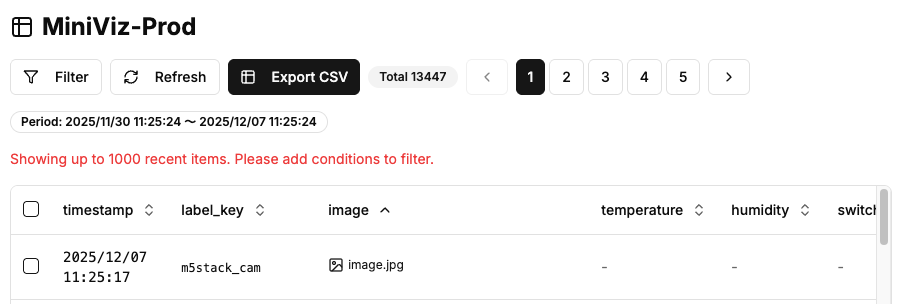
Verify Uploaded Data
Check data from miniviz database menu.
Preview
Check data from miniviz preview menu.
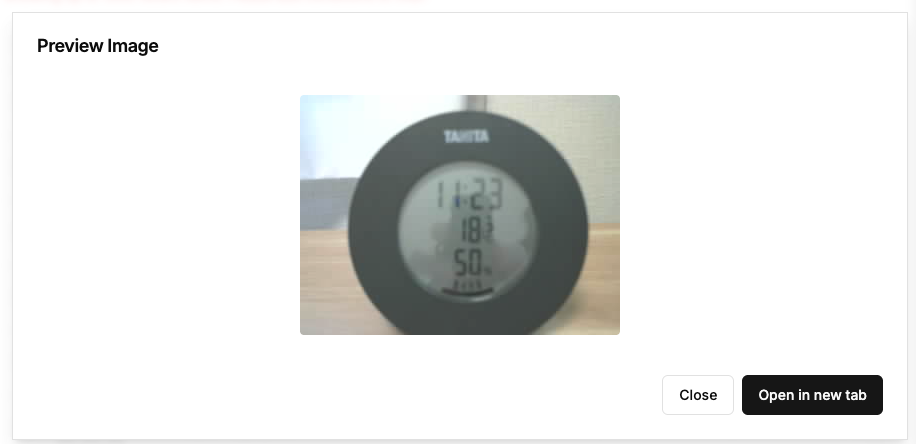
On smartphone it looks like this
