View TimerCAM Captured Images on Smartphone (Miniviz/PlatformIO)
What We’ll Do
Send images captured by TimerCAM to Miniviz so you can view them on your smartphone.
What is Miniviz
Miniviz is a service that makes it easy to visualize IoT data. Simply send IoT data and you can easily check it from your smartphone.
https://miniviz.net
Required Items
- M5Stack timer
- PlatformIO
To use miniviz:
- Miniviz Project ID and Token
Connection Verification
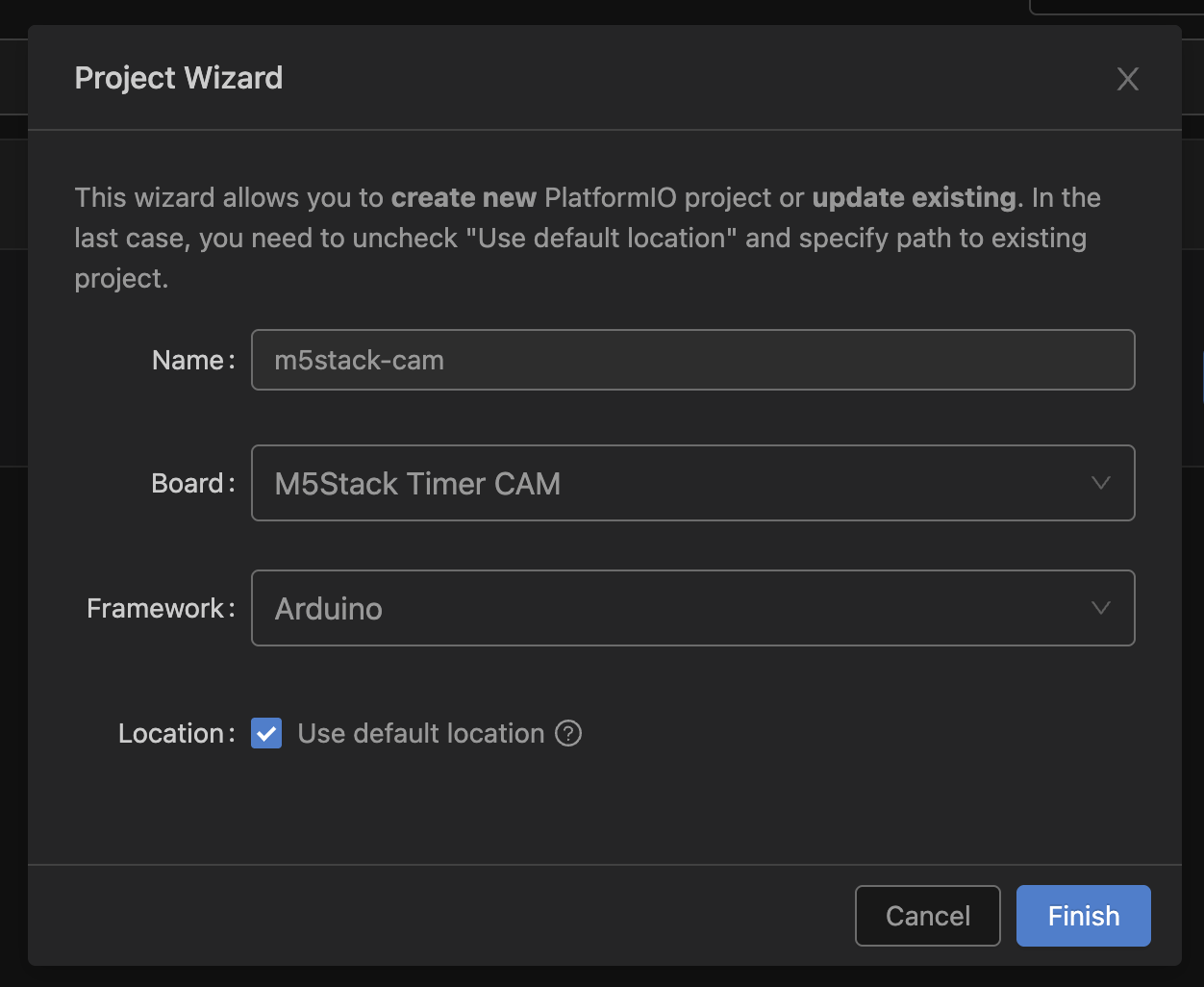
1. Create Project in PlatformIO
Create a project as follows.
2. Try Running Library Sample Code
Download the official sample code below and copy the source code to src/. https://github.com/m5stack/TimerCam-arduino.git
Setting upload_speed to 115200 in platformio.ini makes uploads more stable.
[env:m5stack-timer-cam]
platform = espressif32
board = m5stack-timer-cam
framework = arduino
lib_deps =https://github.com/m5stack/TimerCam-arduino.git
upload_speed = 115200
monitor_speed = 115200
Upload and access the local IP. 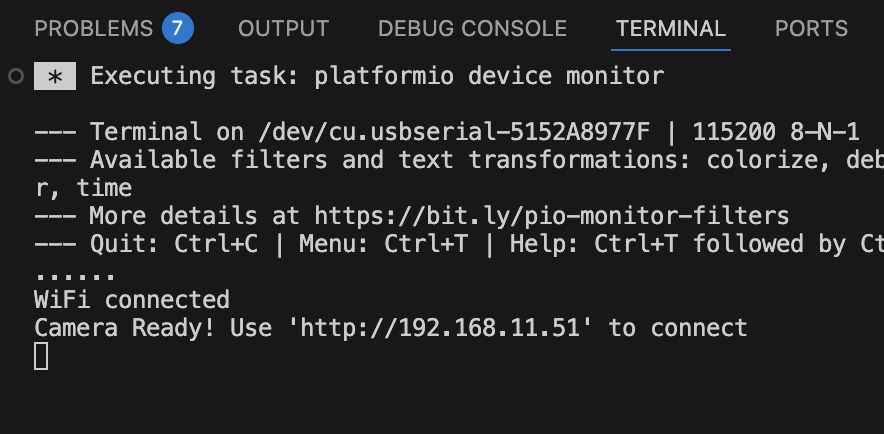
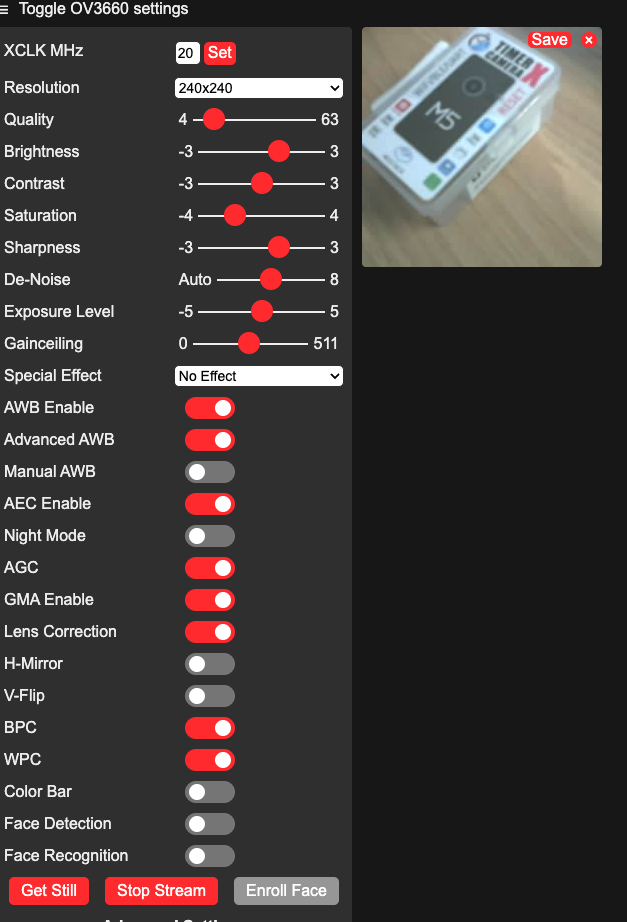
Use Miniviz to View on Smartphone
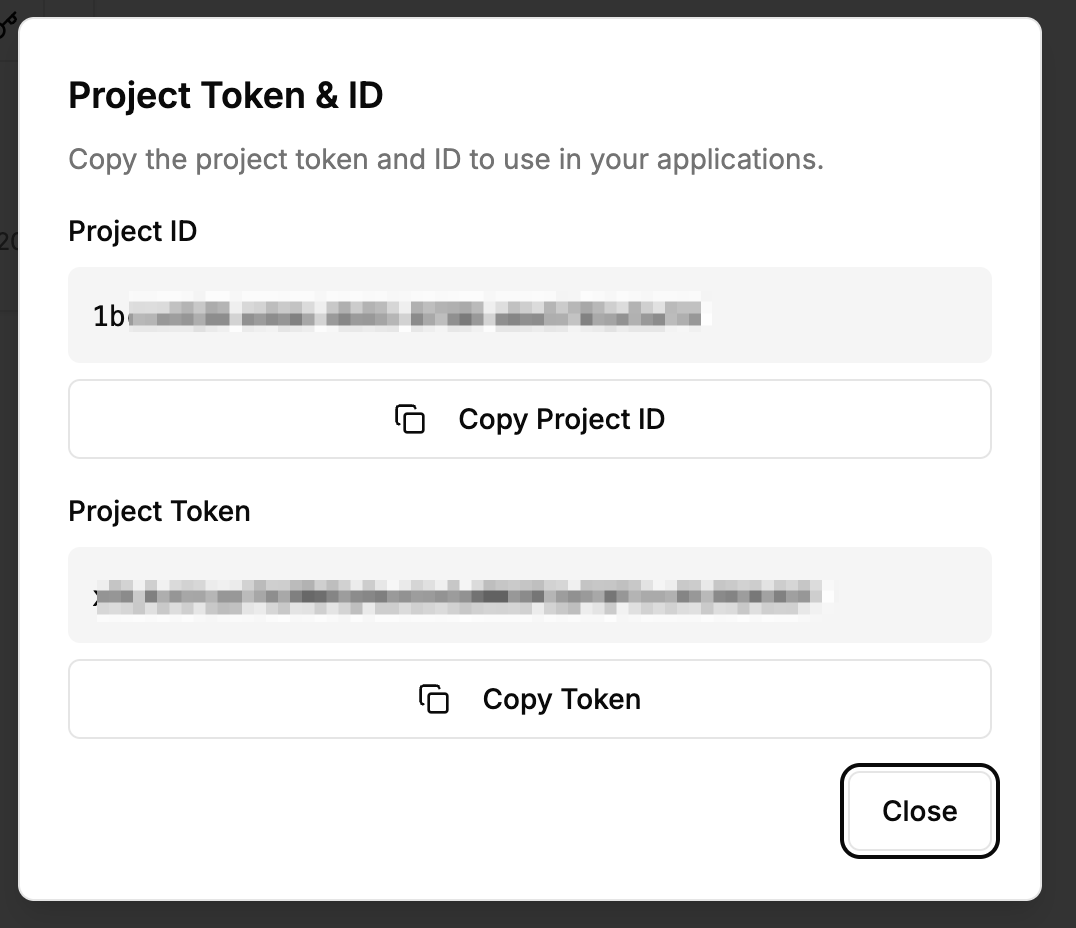
Get Project ID and Token
Get the Project ID and Token.
Create Project -> Get Project ID and Token
Modify Sample Code to Send to Miniviz
#include "battery.h"
#include "esp_camera.h"
#include <WiFi.h>
#include <HTTPClient.h>
#include <base64.h>
#include <time.h>
#include "soc/soc.h"
#include "soc/rtc_cntl_reg.h"
#include "camera_pins.h"

// WiFi Configuration
const char *ssid     = "SSID";
const char *password = "PASSWORD";

// Miniviz Configuration
const char* PROJECT_ID = "PROJECT_ID";
const char* TOKEN = "TOKEN";
const char* API_URL = "https://api.miniviz.net";
const char* LABEL_KEY = "m5stack_cam";

// Send interval (milliseconds)
const unsigned long SEND_INTERVAL = 60000;  // 60 seconds

unsigned long lastSendTime = 0;

//----------------------------------------
// NTP Time Synchronization
//----------------------------------------
void syncTime()
{
    Serial.println("Syncing NTP...");
    configTime(0, 0, "ntp.nict.jp", "time.google.com");

    struct tm timeinfo;
    while (!getLocalTime(&timeinfo)) {
        delay(200);
        Serial.print("*");
    }
    Serial.println("\nTime synced");
}

//----------------------------------------
// UNIX Timestamp in Milliseconds
//----------------------------------------
uint64_t getTimestampMs()
{
    struct timeval tv;
    gettimeofday(&tv, NULL);
    return (uint64_t)tv.tv_sec * 1000ULL + (tv.tv_usec / 1000ULL);
}

void setup() {
    Serial.begin(115200);
    WRITE_PERI_REG(RTC_CNTL_BROWN_OUT_REG, 0);  // disable brownout detector

    bat_init();
    bat_hold_output();

    Serial.setDebugOutput(true);
    Serial.println();

    pinMode(2, OUTPUT);
    digitalWrite(2, HIGH);

    // Camera Configuration
    camera_config_t config;
    config.ledc_channel = LEDC_CHANNEL_0;
    config.ledc_timer   = LEDC_TIMER_0;
    config.pin_d0       = Y2_GPIO_NUM;
    config.pin_d1       = Y3_GPIO_NUM;
    config.pin_d2       = Y4_GPIO_NUM;
    config.pin_d3       = Y5_GPIO_NUM;
    config.pin_d4       = Y6_GPIO_NUM;
    config.pin_d5       = Y7_GPIO_NUM;
    config.pin_d6       = Y8_GPIO_NUM;
    config.pin_d7       = Y9_GPIO_NUM;
    config.pin_xclk     = XCLK_GPIO_NUM;
    config.pin_pclk     = PCLK_GPIO_NUM;
    config.pin_vsync    = VSYNC_GPIO_NUM;
    config.pin_href     = HREF_GPIO_NUM;
    config.pin_sccb_sda = SIOD_GPIO_NUM;
    config.pin_sccb_scl = SIOC_GPIO_NUM;
    config.pin_pwdn     = PWDN_GPIO_NUM;
    config.pin_reset    = RESET_GPIO_NUM;
    config.xclk_freq_hz = 20000000;
    config.pixel_format = PIXFORMAT_JPEG;
    config.frame_size   = FRAMESIZE_UXGA;
    config.jpeg_quality = 10;
    config.fb_count     = 2;

    // Initialize Camera
    esp_err_t err = esp_camera_init(&config);
    if (err != ESP_OK) {
        Serial.printf("Camera init failed with error 0x%x", err);
        return;
    }

    sensor_t *s = esp_camera_sensor_get();
    s->set_vflip(s, 1);        // flip it back
    s->set_brightness(s, 1);   // up the brightness just a bit
    s->set_saturation(s, -2);  // lower the saturation
    s->set_framesize(s, FRAMESIZE_QVGA);

    // Connect to WiFi
    Serial.printf("Connect to %s, %s\r\n", ssid, password);
    WiFi.begin(ssid, password);
    while (WiFi.status() != WL_CONNECTED) {
        delay(500);
        Serial.print(".");
    }
    Serial.println("");
    Serial.println("WiFi connected");
    Serial.print("IP address: ");
    Serial.println(WiFi.localIP());

    // NTP Time Synchronization
    syncTime();

    lastSendTime = millis();
}

String encodeBase64(const uint8_t* data, size_t length) {
    return base64::encode(data, length);
}

bool sendImageToMiniviz(camera_fb_t* fb) {
    if (fb == NULL) {
        Serial.println("[Error] Camera capture failed");
        return false;
    }

    Serial.println("[Info] Encoding image to base64...");
    String imageBase64 = encodeBase64(fb->buf, fb->len);

    Serial.println("[Info] Sending image to Miniviz...");

    HTTPClient http;
    String url = String(API_URL) + "/api/project/" + String(PROJECT_ID) + "/image?token=" + String(TOKEN);

    http.begin(url);
    http.addHeader("Content-Type", "application/json");

    // Generate timestamp (milliseconds)
    uint64_t timestamp = getTimestampMs();

    // Create JSON payload
    String payload = "{";
    payload += "\"timestamp\":" + String(timestamp) + ",";
    payload += "\"label_key\":\"" + String(LABEL_KEY) + "\",";
    payload += "\"image_name\":\"image.jpg\",";
    payload += "\"image_base64\":\"" + imageBase64 + "\"";
    payload += "}";

    int httpResponseCode = http.POST(payload);

    if (httpResponseCode > 0) {
        Serial.printf("[Info] HTTP Response code: %d\n", httpResponseCode);
        String response = http.getString();
        Serial.println("[Info] Response: " + response);
        http.end();
        return true;
    } else {
        Serial.printf("[Error] HTTP Error: %s\n", http.errorToString(httpResponseCode).c_str());
        http.end();
        return false;
    }
}

void loop() {
    unsigned long currentTime = millis();

    // LED blink (for status indication)
    digitalWrite(2, HIGH);
    delay(100);
    digitalWrite(2, LOW);
    delay(100);

    // Send image every 60 seconds
    if (currentTime - lastSendTime >= SEND_INTERVAL) {
        Serial.println("[Info] Capturing image...");
        camera_fb_t* fb = esp_camera_fb_get();

        if (fb != NULL) {
            bool success = sendImageToMiniviz(fb);
            if (success) {
                Serial.println("[Info] Image sent successfully");
            } else {
                Serial.println("[Error] Failed to send image");
            }
            esp_camera_fb_return(fb);
        } else {
            Serial.println("[Error] Camera capture failed");
        }

        lastSendTime = currentTime;
    }
}
Verify Uploaded Data
Check data from miniviz database menu. 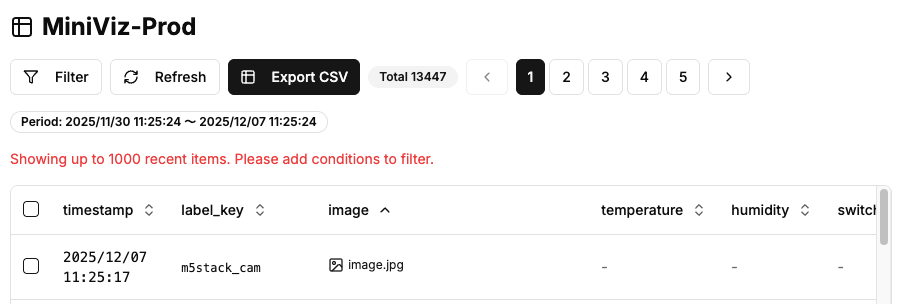
Preview
Check data from miniviz preview menu. 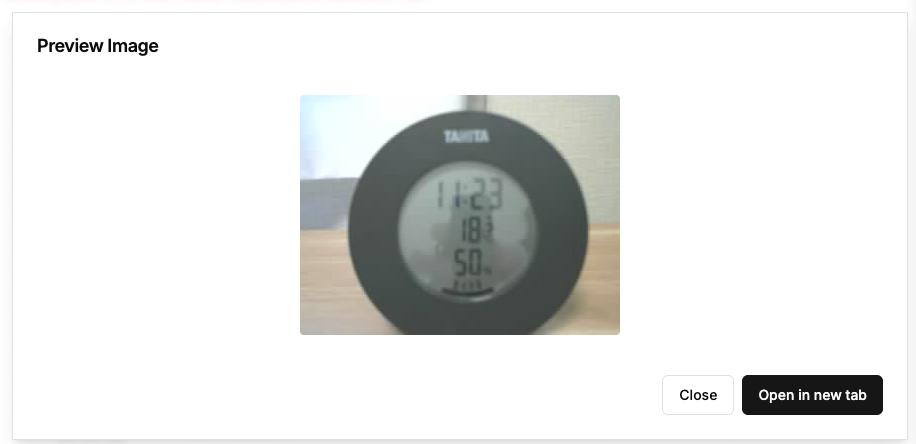
On smartphone it looks like this 